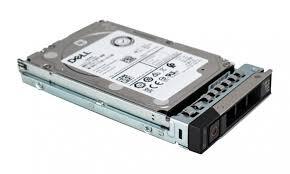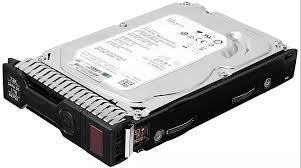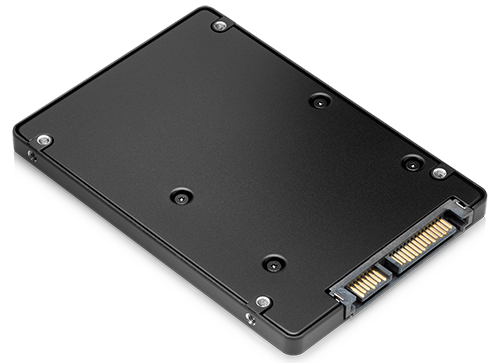
In modern IT Hardware and Computer Hardware, storage technology plays a critical role in determining system performance. Among all storage solutions available today, Solid State Drives (SSDs) have become the most popular and widely adopted option. SSDs are advanced storage devices that use flash memory to store data, offering significantly faster performance compared to traditional hard drives.
The rise of SSDs has transformed computing by improving boot times, reducing application load delays, and enhancing overall system responsiveness. Whether used in laptops, desktops, or enterprise servers, Solid State Drives have become a core component of modern Computer Hardware systems.
What Are Solid State Drives?
Solid State Drives, commonly known as SSDs, are storage devices that store data on integrated circuits rather than spinning magnetic disks. This design makes them faster, more reliable, and more energy-efficient than traditional HDDs.
In the world of IT Hardware, SSDs are considered a major technological advancement because they eliminate mechanical delays and provide instant data access. Unlike older storage systems, Solid State Drives have no moving parts, which reduces the risk of mechanical failure and improves durability.
How SSDs Work in Computer Hardware
In Computer Hardware, SSDs operate using NAND flash memory chips. When data is written to or read from the drive, electrical signals are used instead of mechanical movement. This allows SSDs to retrieve data almost instantly.
This architecture makes Solid State Drives much faster than traditional storage devices. The absence of moving parts also results in lower power consumption and less heat generation, making SSDs ideal for both portable devices and high-performance systems in modern IT Hardware environments.
Types of Solid State Drives
SATA SSDs
SATA SSDs are the most common type of SSDs used in Computer Hardware systems. They connect via the SATA interface and offer a significant performance boost over HDDs. While not the fastest SSD type available, SATA SSDs provide a cost-effective upgrade for users looking to improve system speed.
NVMe SSDs
NVMe (Non-Volatile Memory Express) SSDs represent the next generation of Solid State Drives. These drives use the PCIe interface, allowing much higher data transfer speeds compared to SATA SSDs. In advanced IT Hardware setups, NVMe SSDs are widely used for gaming PCs, servers, and high-performance workstations.
M.2 SSDs
M.2 SSDs are compact SSDs designed for modern laptops and desktops. They can support both SATA and NVMe protocols, making them highly versatile. In Computer Hardware, M.2 drives are popular due to their small size and high performance, especially in ultra-thin laptops and compact systems.
Advantages of Solid State Drives
One of the biggest advantages of SSDs is speed. Compared to traditional storage systems, Solid State Drives can reduce boot times from minutes to seconds. Applications load faster, files transfer quickly, and overall system performance improves dramatically.
In IT Hardware, SSDs are also valued for their durability. Since they have no moving parts, they are less likely to fail due to physical shock or wear and tear. This makes them ideal for mobile devices and industrial systems where reliability is essential.
Another advantage of Solid State Drives is energy efficiency. SSDs consume less power than HDDs, which helps extend battery life in laptops and reduces energy costs in large-scale Computer Hardware deployments.
SSDs in Modern IT Hardware Systems
In modern IT Hardware environments, SSDs are widely used in servers, data centers, and cloud computing infrastructure. Their high speed and low latency make them ideal for handling large volumes of data and supporting virtualization workloads.
Businesses rely on Solid State Drives to improve application performance, reduce downtime, and enhance user experience. In enterprise-level Computer Hardware, SSDs play a key role in ensuring efficient data processing and storage management.
SSD vs HDD in Computer Hardware
The comparison between SSDs and HDDs highlights the evolution of storage technology. While HDDs rely on spinning disks, Solid State Drives use flash memory, resulting in much faster performance.
In Computer Hardware, SSDs outperform HDDs in almost every category, including speed, durability, and power efficiency. However, HDDs still offer larger storage capacities at a lower cost, making them suitable for bulk storage needs in IT Hardware systems.
Performance Impact of SSDs
Upgrading to SSDs has a significant impact on system performance. Users experience faster boot times, smoother multitasking, and quicker access to files and applications.
In professional environments, Solid State Drives improve productivity by reducing waiting times and increasing system responsiveness. This makes them an essential upgrade for both personal and enterprise Computer Hardware systems.
SSDs in Gaming and Creative Workloads
Gaming PCs and creative workstations benefit greatly from SSDs. Games load faster, textures render more quickly, and overall gameplay becomes smoother. In video editing and graphic design, Solid State Drives help handle large files efficiently.
In IT Hardware designed for high-performance tasks, NVMe SSDs are often used to eliminate bottlenecks and ensure seamless workflow execution.
Reliability and Lifespan of Solid State Drives
Modern SSDs are designed with advanced wear-leveling algorithms and error correction technologies to extend their lifespan. While earlier versions had limited durability, today’s Solid State Drives are highly reliable for both personal and professional use.
In Computer Hardware, SSD reliability is measured in TBW (Terabytes Written), which indicates how much data can be written before the drive wears out. This makes it easier for users to choose the right SSD based on workload requirements.
Future of Solid State Drives
The future of SSDs in IT Hardware is highly promising. New technologies like PCIe Gen5, 3D NAND, and storage-class memory are pushing performance boundaries even further.
As Computer Hardware continues to evolve, Solid State Drives will become even faster, more affordable, and more efficient. These advancements will support emerging technologies such as AI, cloud computing, and big data analytics.
Choosing the Right SSD
Selecting the right Solid State Drives depends on user needs:
- Basic users: SATA SSDs for affordable speed upgrades
- Gamers: NVMe SSDs for high performance
- Professionals: High-capacity NVMe SSDs for workloads
- Businesses: Enterprise-grade SSDs for IT Hardware infrastructure
By choosing the right SSDs, users can optimize their Computer Hardware performance and improve overall system efficiency.
Conclusion
In conclusion, Solid State Drives (SSDs) have revolutionized modern IT Hardware and Computer Hardware systems. Their speed, durability, and efficiency make them a superior choice compared to traditional storage solutions.
Whether used in personal computers, gaming systems, or enterprise environments, SSDs deliver unmatched performance improvements. As technology continues to advance, Solid State Drives will remain a key component of next-generation computing systems.
Investing in SSDs ensures faster computing, better reliability, and improved productivity, making them an essential upgrade in today’s digital world.
About the Author